Effortlessly Log Every Flight & Simulator Session
Block Time Logger simplifies your pilot logbook, helping you track hours, manage crew, and generate professional reports. Your data, always on your device. ✈️⏱️
See Block Time Logger in Action
Explore the intuitive interface and powerful features that make logging your flight hours a breeze.
iPhone & iPad




Why Pilots Choose Block Time Logger
Discover how our intuitive app empowers pilots to manage their flight logs with precision and ease.
Quick & Accurate Logging
Rapidly input off/out/on/in times for flights and simulator sessions, ensuring every detail is captured precisely when it happens.
Professional Compliance
Generate polished exports supporting key regional logbook formats like HKCAD, FAA, and EASA, making compliance seamless.
Offline & Private Data
Operate fully offline with all your flight data securely stored on your device, giving you complete control and privacy without cloud requirements.
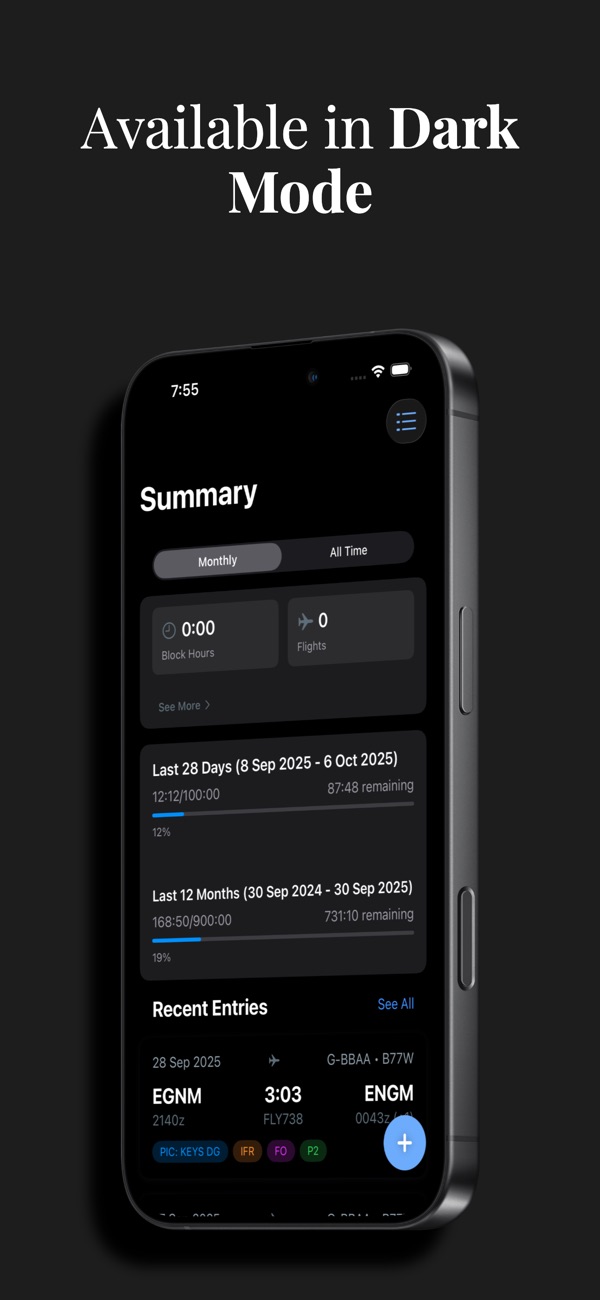
Smart Hour Summaries
Access instant monthly and all-time totals, plus detailed breakdowns to track recency and duty requirements effortlessly.
Streamlined Imports
Save time with easy import options from calendar roster files (ICS) and LogTen text exports (TSV).
Powerful Features for Every Pilot
Block Time Logger is built with real-world pilot workflows in mind, offering a comprehensive suite of tools.
Comprehensive Logging
Capture every detail of your flights and simulator sessions with an interface designed for speed and accuracy.
Real-time Block Times
Record your off/out/on/in times with precision, ensuring accurate tracking of every flight segment.
Detailed Flight Records
Log flight numbers, routes, crew roles, takeoffs/landings, and critical notes for complete historical data.
Simulator Session Tracking
Easily log your simulator hours alongside actual flight time, keeping all your training records in one place.
Customizable Notes
Add important annotations and observations to each log entry for future reference or compliance.
Reporting & Compliance
Generate professional reports and exports that meet industry standards and regulatory requirements effortlessly.
Smart Analytics & Summaries
View monthly and all-time totals, plus essential hour breakdowns to monitor recency and duty limits.
Regulatory Exports
Produce professional logbook formats supporting HKCAD, FAA, and EASA, with more authorities planned.
Flexible Export Formats
Export your logbook data as PDF, with CSV and Excel support coming soon, for easy sharing and record-keeping.
Data Management & Privacy
Maintain full control over your flight data with robust management tools and a commitment to privacy.
On-Device Data Storage
Your entire logbook resides securely on your device, ensuring privacy and full offline functionality.
Seamless Data Imports
Import flight schedules from ICS calendar files or convert existing LogTen data with TSV exports.
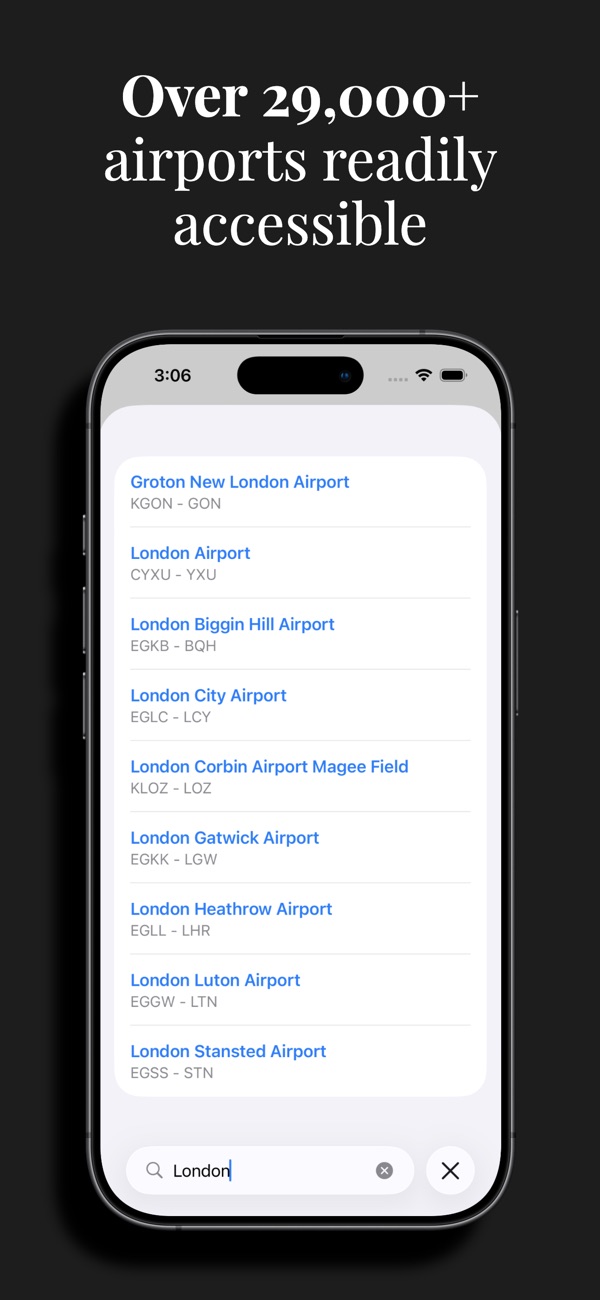
Quick Airport Lookup
Efficiently search and add airports to your flights, streamlining the logging process.
Privacy-First Design
No account required, no forced cloud sync. Your data is yours, only leaving your device when you choose.
What Pilots Are Saying
Hear from real users who trust Block Time Logger for their essential flight records.
This app is a game-changer for flight logging. It's incredibly fast to input times, and the ability to export in FAA format saves me so much hassle. Highly recommended!
As a student pilot, keeping track of my hours precisely is crucial. Block Time Logger makes it simple and clear. I love that it works offline and my data stays on my device.
I've tried several logbook apps, and Block Time Logger stands out. The ICS import feature is a lifesaver for my schedule, and the summaries are perfect for tracking my duty limits.
Finally, a logbook app that focuses on the essentials without overcomplicating things. It's fast, reliable, and the exports look very professional. Great job!
Ready to Simplify Your Logbook?
Download Block Time Logger today and take control of your flight records with unparalleled ease and precision. It's free to get started!
Frequently Asked Questions
Find quick answers to common questions about Block Time Logger, its features, privacy, and compatibility.
Yes, the core Block Time Logger app is free to download and use with essential logging and summary features. There is an optional 'Pro' in-app subscription for advanced analytics and additional import/export options.
No, by default, all your flight data is stored locally on your device. It only leaves your device if you manually choose to export or back it up using iOS sharing features. We prioritize your privacy and control.
The app supports professional logbook formats for HKCAD, FAA, and EASA. You can also export your data as PDF. CSV and Excel export options are planned for future updates.
Yes, Block Time Logger supports importing flight rosters from calendar files (ICS) and text exports from LogTen (TSV). This helps you quickly migrate or update your logbook.
No, Block Time Logger works completely offline. You don't need an active internet connection to log flights, view summaries, or manage your data, making it ideal for use anywhere.
Block Time Logger is compatible with iPhone and iPad running iOS 18.0 or later, ensuring broad compatibility with modern Apple devices.